Public game
Best when you need extra players from the community. Players can request to join and you approve them.
Use Football Khelam to register a team, invite members, post games, collect RSVP responses and fill missing player spots without repeating the same messages every week.
Create your team once with name and suburb.
Share a team invite link or invite by email.
Choose date, place, player count and public or team RSVP.
See who is Playing, Waiting or Unavailable.
Use previous game details so you only change what matters.
Best when you need extra players from the community. Players can request to join and you approve them.
Best when your own members need to confirm attendance. Registered team members receive private Yes/No RSVP links.
Select last Wednesday’s game, click Use details, check the kickoff time, choose Share with my team and post.
Select the previous Sunday game, choose Need players only, set how many players you need and share the public game to WhatsApp.
Set the exact number of missing players. The public card will show how many more players are needed.
When Team Planner is enabled for your team, you can choose available players, auto-balance BFC-A vs BFC-B, drag players into position and publish the lineup for your members.
Open Team Planner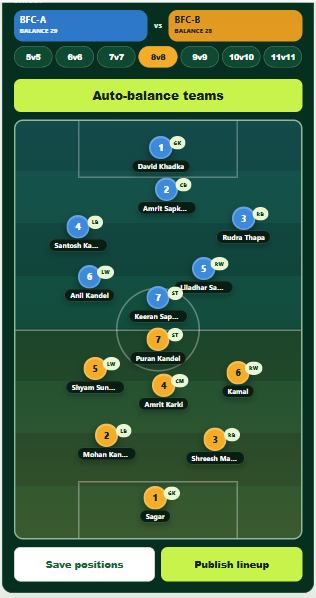
Register your team, invite a few players and post your next game. You can keep it simple at first.
Register or post a game